

Yoast FAQ Block
The Yoast FAQ block lets you add a list of questions and answers to your page. It’s part of the Yoast SEO plugin, so it’s available on every WFU WordPress site.
The block looks like regular headings and text on your page, but it also adds structured data behind the scenes. Structured data labels which text is the question and which text is the answer, so Google and AI tools like ChatGPT can understand it. Every question and answer stays visible on the page. If you need to hide content until a visitor clicks, use an Accordion instead.
Detailed instructions on adding blocks can be found on Building a Page.
Adding Questions
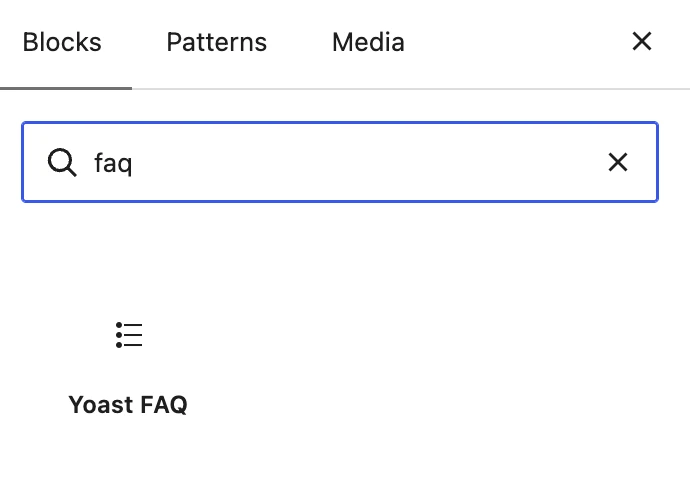
Add the block by clicking the plus icon in the builder or typing “/faq”, then select Yoast FAQ.
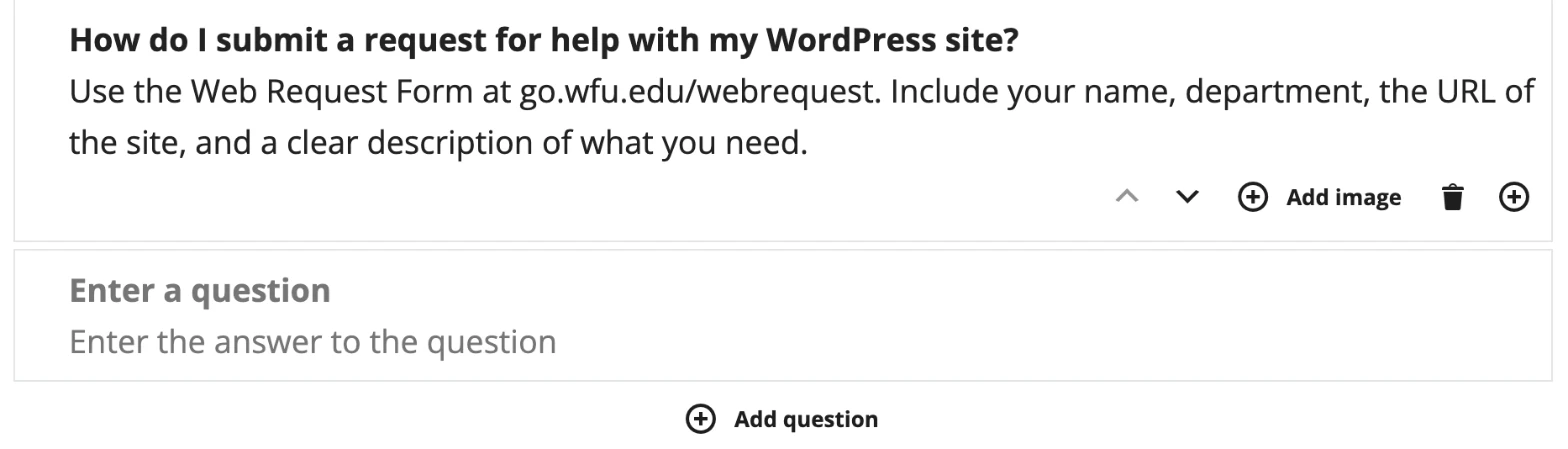
- Type your question in the Enter a question field.
- Type the answer in the Enter the answer to the question field.
- Click Add question to add another question and answer.
- Click Save or Update when you’re done.
FAQ Best Practices
- Use the questions people actually ask you, in the words they use.
- Put the answer in the first sentence and keep it short.
- Make sure each answer makes sense on its own.
- Only use the block for questions and answers that belong on that page.
Example
Use the Yoast FAQ block when your content is a set of questions and answers, like an FAQ page. Use an accordion when you need to hide longer content until a visitor clicks.
No. Yoast SEO adds the structured data for you when you save the page.
No. Visitors see your questions and answers as headings and text. Only search engines read the structured data.