

Stuck in WordPress? Ask Your New AI Assistant!
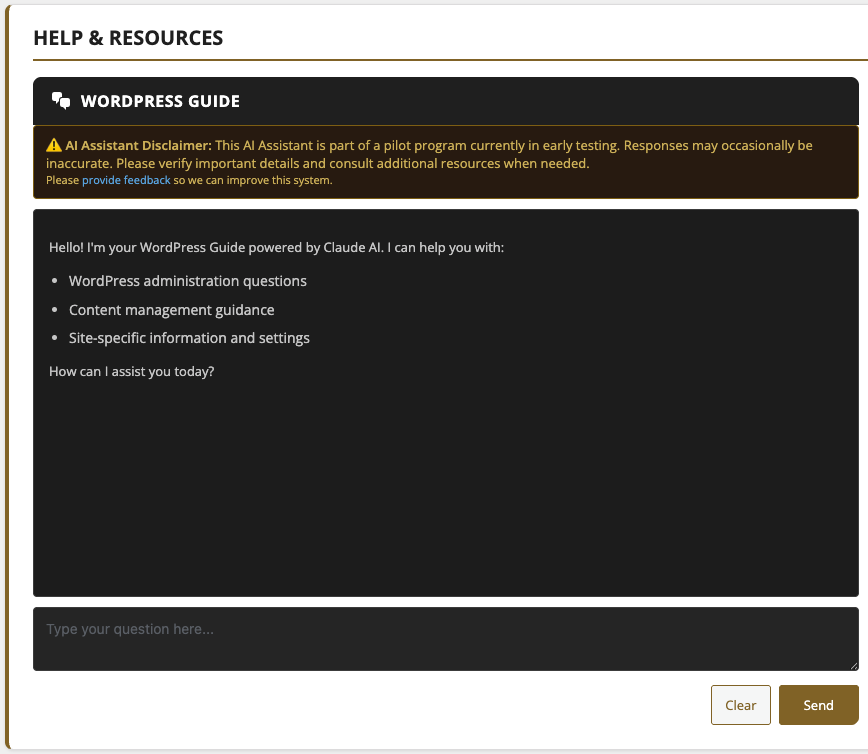
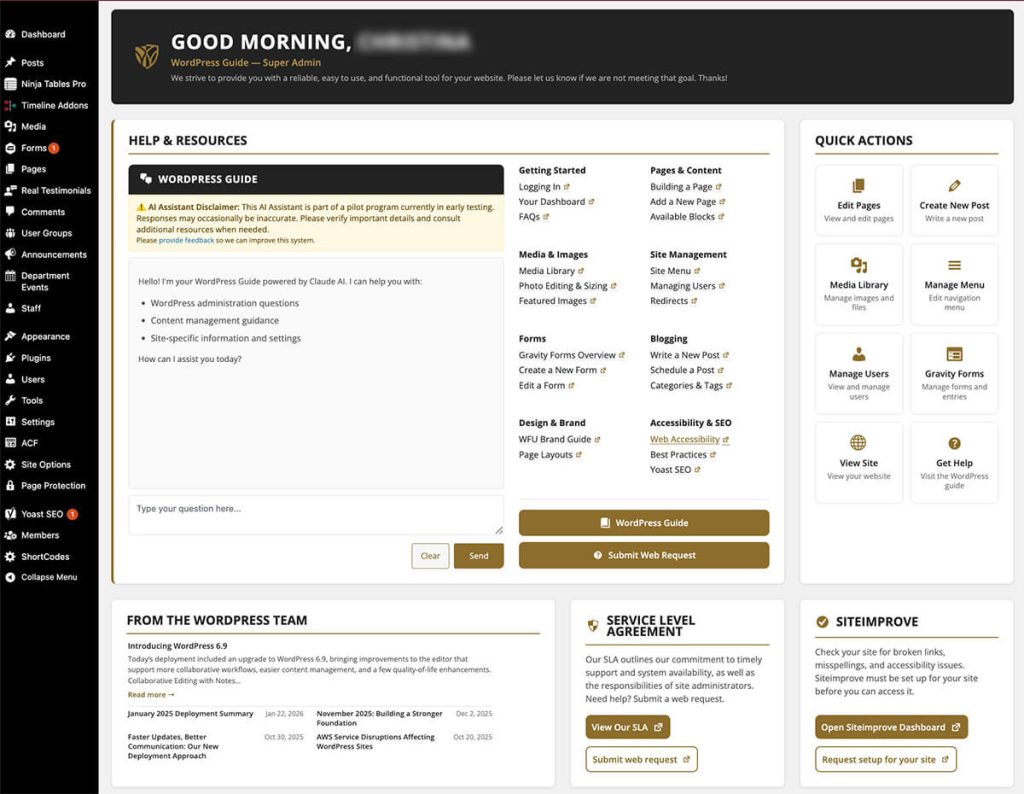
We’re excited to introduce a new AI chatbot inside the WordPress dashboard to help answer your questions about using the Wake Forest WordPress system. This assistant pulls information directly from our WordPress Guide, ensuring responses align with our approved themes, blocks and best practices. You’ll see it on the main dashboard page when you log in to WordPress, as part of a refreshed dashboard experience designed to make common tasks and resources easier to access.
The updated dashboard now brings together popular links to the WordPress Guide, quick access to frequent actions like creating a new post or managing users, and a clear path to the Web Request Form, all in one place. The goal is to reduce friction and help you move more easily between learning, editing and seeking support.
Whether you’re looking for help with a specific block, site settings, or clarification about how something works, the chatbot can help you find answers without leaving WordPress. It does not make changes to your site or generate content automatically; it’s designed as a guide to point you in the right direction. If your answer isn’t found, the chatbot will automatically submit your request to our Web Request Form, so your request still reaches our team.
As with any AI tool, responses should be reviewed carefully. If something seems unclear or incorrect, please let us know using the Web Request Form so we can continue improving both the chatbot and our documentation.
This pilot program serves as a proof of concept for future AI development in our WordPress environment. Because the tool is limited to our internal WordPress Guide and only available within the dashboard to authorized users, it carries significantly less risk than a public-facing chatbot and allows us to explore AI in a controlled, low-liability environment.
Email address protection now active across all WordPress sites
To help combat the rise in AI-powered phishing attacks targeting WFU, we’ve deployed a new email protection layer across all WordPress sites. This plugin automatically encodes email addresses in page content so they’re no longer visible to automated scrapers and bots that harvest them for phishing campaigns.
What this means for you:
- Email addresses on your site will continue to display and function normally for visitors. Clicking a mailto link works exactly as before.
- No action is needed from site owners or editors.
- The only visible difference is in the page source code, where email addresses now appear as encoded strings rather than plain text. This is expected behavior.
If you notice any issues with how email addresses display or function on your site, please let us know through the Web Request Form.
Siteimprove training for new WordPress users
UMC and IS will be offering Siteimprove training via Zoom this spring for all new and current WordPress site editors. For new users, training is required to access the platform. In this training workshop, you will learn how to address quality assurance issues with your site (i.e. fix broken links and misspellings), learn about accessibility, and be shown how to collect website data using Siteimprove’s robust analytics module.
Please reach out to Pete Nowak at or use our Siteimprove Training Request Form to let us know you’re interested in scheduling training no later than Friday, April 17.
Categories: New Feature